Lantern is a calendar and planner for people who find it hard to see the
big picture: how today's small jobs add up to the things you actually
want. It keeps your goals, the work that feeds them, your habits and your
day in one quiet place, and lays them out as a path of lanterns that you
light as you go.
One purchase for iPhone, iPad and Mac · No subscriptions, ever · No account
01 / Inside
Every small thing, on the way to something bigger.
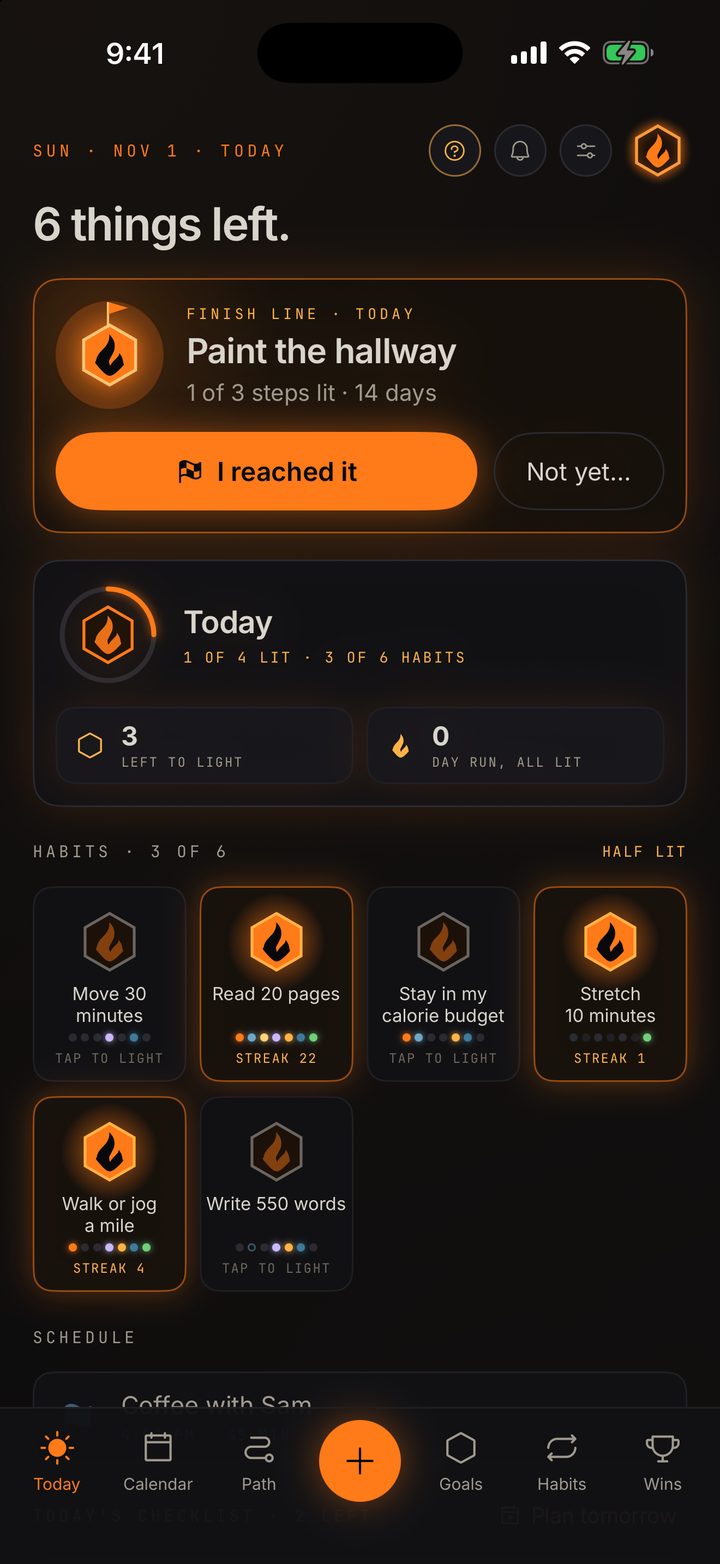
Today
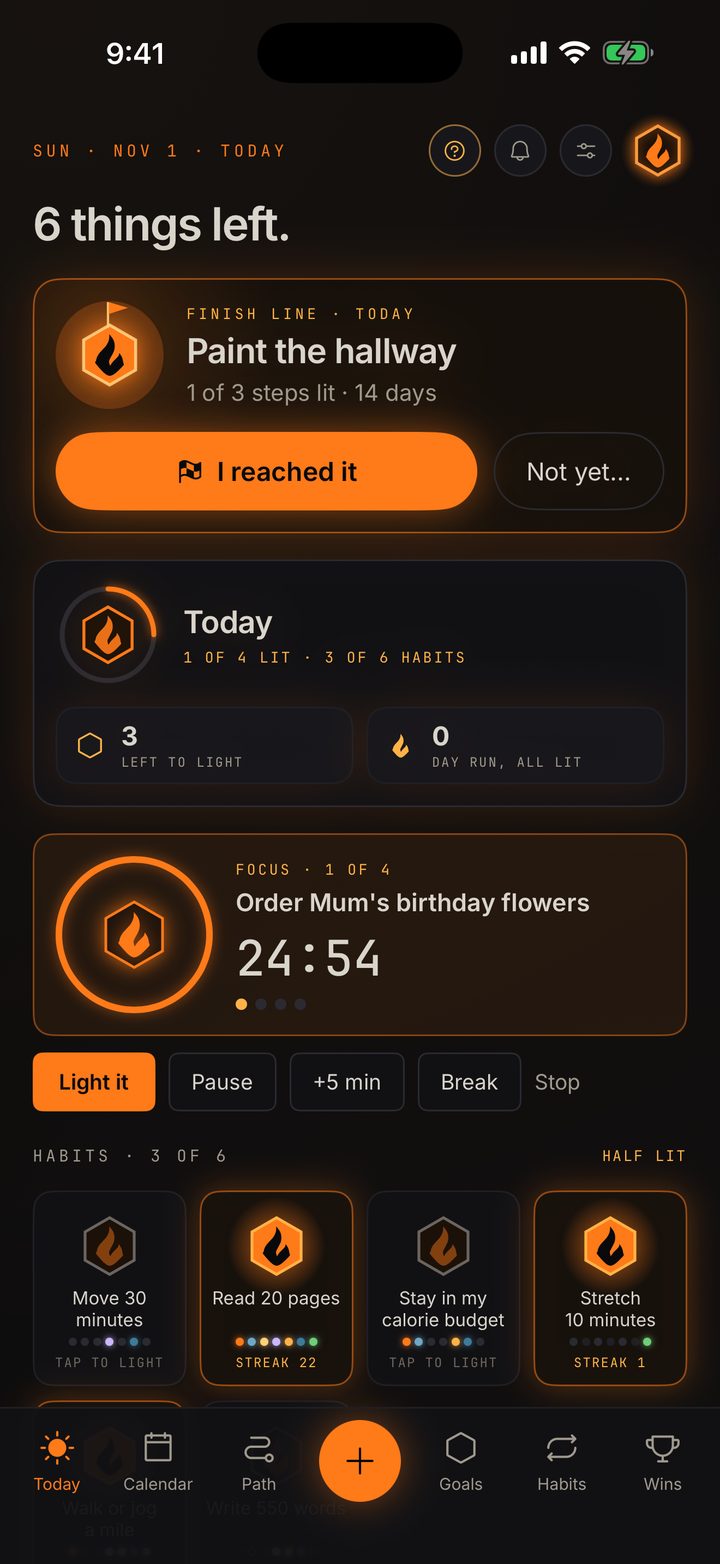
A checklist you light
Today's checklist has an add line that understands plain words:
call the bank at 3 lands at 3 PM and dentist fri goes to
Friday. Each task's tick is a small lantern that lights when it's done.
Anytime holds the jobs with no day. Plan tomorrow lets you pick open work
from all your goals, and when a day gets away from you, Carry over moves
the rest along. Nothing moves on its own.
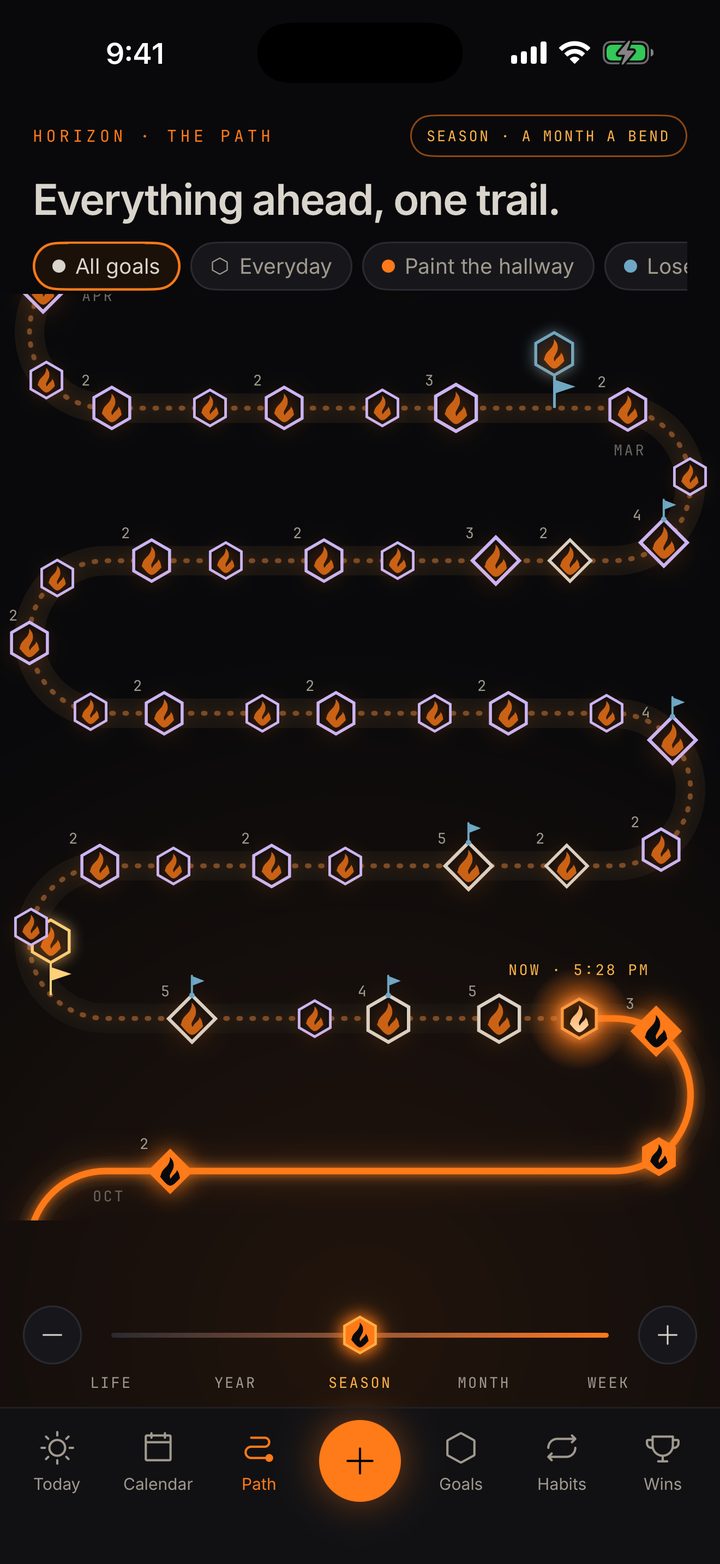
The Path
The big picture, as a trail
Every day with something on it is a lantern on one winding trail, lit
once its work is done, up to a NOW lantern. A goal's finish line stands
on its day like a post.
Scroll back through everything you've lit or ahead to what's coming,
and pinch from a single week out to twenty years. Tap a day for its
list, and light things there.
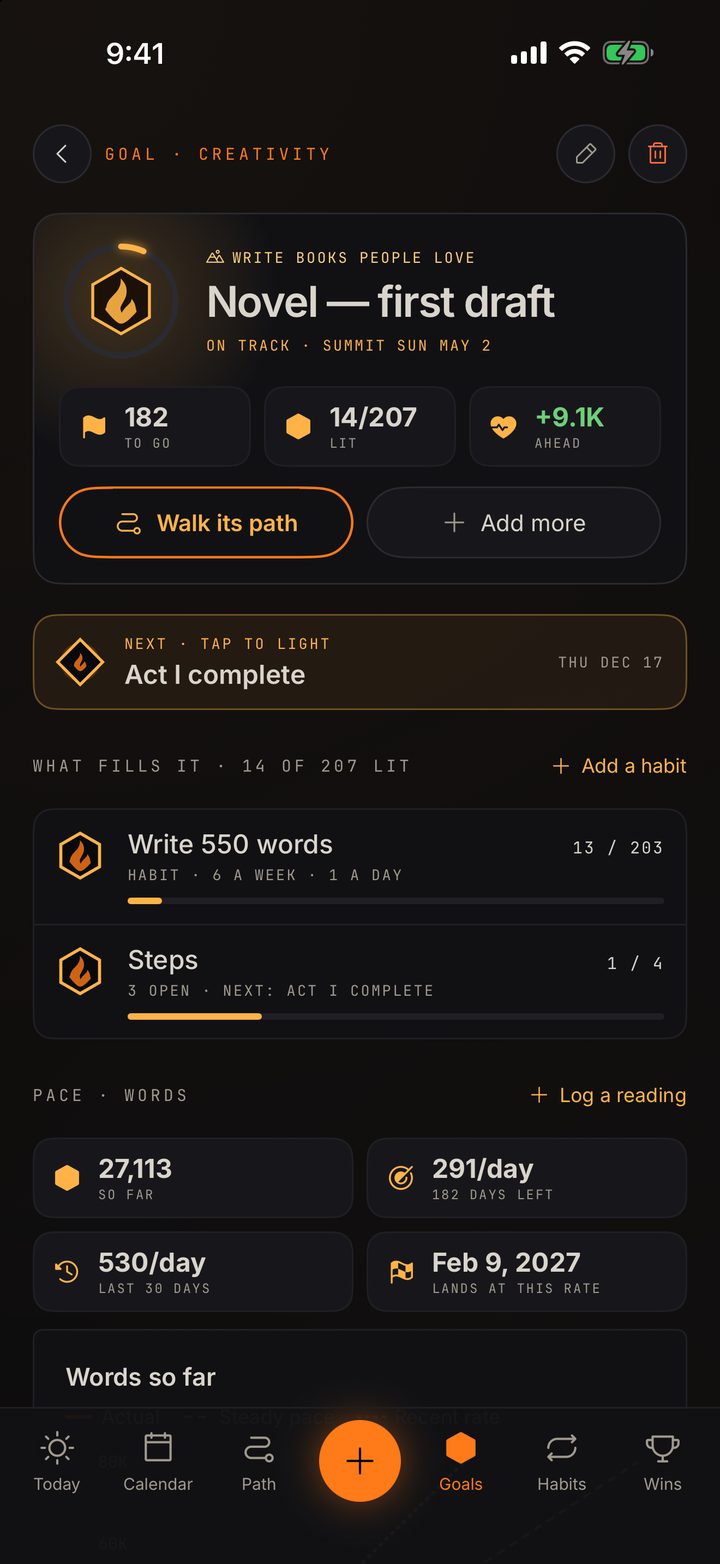
Goals
Goals with finish lines
Each goal has one ring, filled by its steps and the habits that feed it,
a line in plain words (on track, behind, drifting, quiet for a few weeks,
all done) and always the next step. Goals measured in words, miles or
pounds get a pace chart and a projected finish. Reach one, and Wins
keeps it.
Or start from a plan: a half marathon, a first novel draft, NaNoWriMo,
Couch to 5K or steady weight loss.
Capture
Write it the way you'd say it
Run every mon wed sat at 7am becomes a habit; dentist fri 2pm for
45 min becomes an event. On the Mac, it's Command-K.
Prefer paper? Photograph a written list or a notebook page. Lantern reads
it on your device, lets you check each line before anything is added, and
flags the ones already in your calendar. Rescan the page later to tick off
what's done.
Focus
One task at a time
Tap the clock on any task to focus on it, with one timer or Pomodoro
breaks. A ring burns down around the task's lantern, and Light it
ticks it off and starts the next task with a fresh clock.
Widgets
On the Lock Screen and Home Screen
While you focus, a Live Activity shows the time on the Lock Screen and in
the Dynamic Island, with Light it, Pause and +5 minutes.
Widgets: a checklist you can tick right from the Home Screen, Focus, This
week (your path of days) and Lock Screen habit rings.
Nudges
Quiet nudges
A morning lantern with the shape of your day, a heads-up before events, a
nudge for a habit whose time has passed, and evening embers only when
something's still open. Quiet hours and a daily limit. No badges, no
sounds, and never you broke your streak.
Habits
Habits that forgive
Under the ember rule, one missed day keeps a streak glowing; only two in a
row lets it cool. Rest days and pauses, like a trip or a week of being
ill, never count as misses. Keep every day of a week for a full set of
jewel lanterns.
Everywhere
iPhone, iPad and Mac
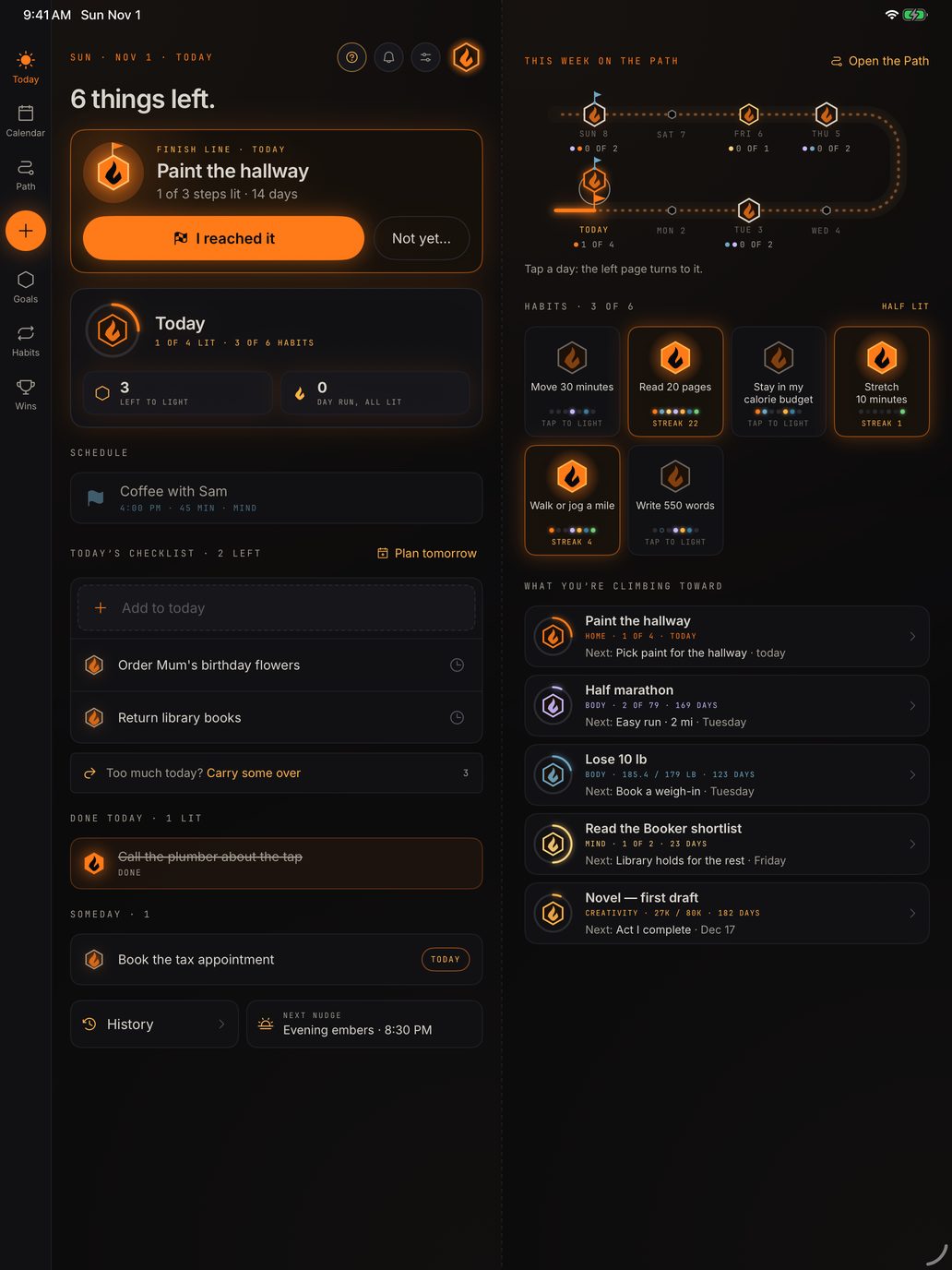
On iPad and Mac, Lantern opens like a book: today on one page and your
week on the other, or the calendar across the whole window. The Mac adds
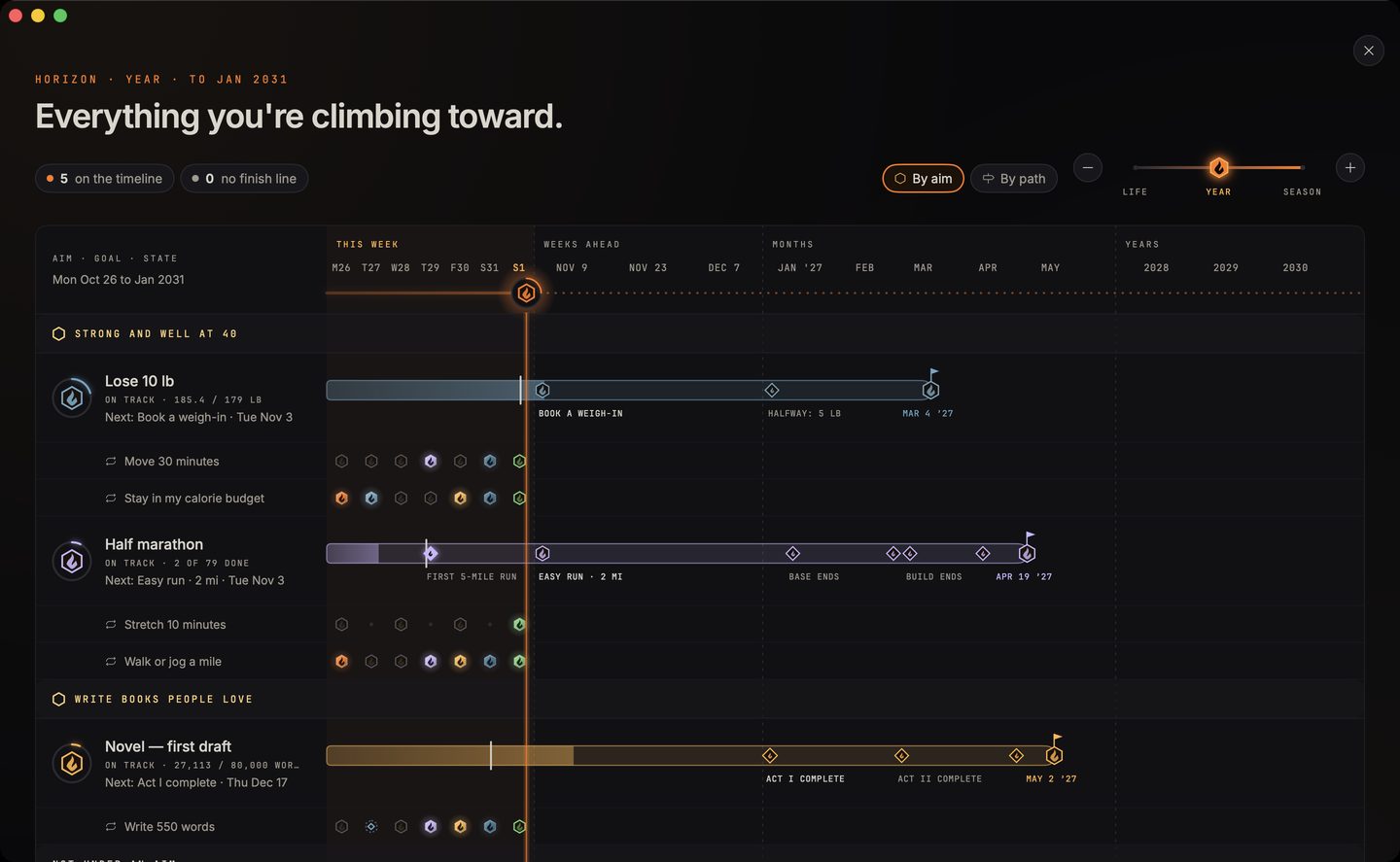
the Horizon, a timeline of every goal out to the years ahead. Link a
writing goal to your manuscript and the Mac counts the words for
you.
02 / A look inside
See where today is taking you.
The Path, made of days. Every goal, from now to the finish.
Today as one card. Light one small thing at a time.
A goal that says how it's going, and what's next.
Focus on one task, with Pomodoro if you like.
On the Mac, every goal on one timeline.
On iPad, the checklist beside this week on the Path.
03 / Private by design
Yours, and only yours.
Your calendar is plain files in your own iCloud. There's no
Lantern server in between, so there's nothing of yours for us to see.